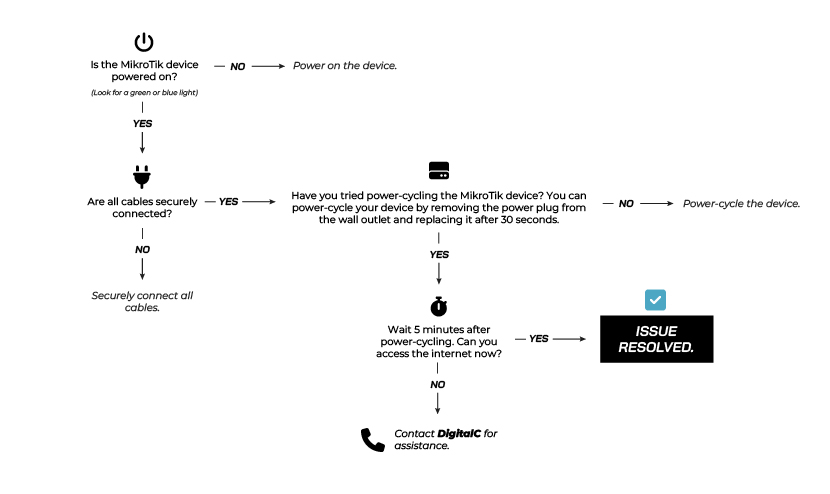
Experiencing slow internet speeds? Let's speed things up. Follow the troubleshooting tips below to diagnose and enhance your internet performance, ensuring a faster and more reliable connection.
Solutions
1
Is the MikroTik device powered on?
(Look for a green or blue light)
YesProceed to the next step.
No Power on the device.
2
Are all cables securely connected?
YesProceed to the next step.
No Securely connect all cables.
3
Have you tried power-cycling the MikroTik device? You can power-cycle your device by removing the power plug from the wall outlet and replacing it after 30 seconds?
YesProceed to the next step.
No Power-cycle the device.
4
Wait 5 minutes after power-cycling. Can you access the internet now?